On the phone
Add Sustine to the home screen
Sustine is a website you can open from a home-screen icon — the same practice, one tap away. Pick the path that matches your browser below. Measure the day. Keep the citadel.
iPhone · Safari
On iPhone, only Safari can add a site to the home screen. These are the three taps.
- 01
Open this site in Safari
The home-screen copy has to be added from Safari. Chrome and in-app browsers on iPhone will not offer the step.
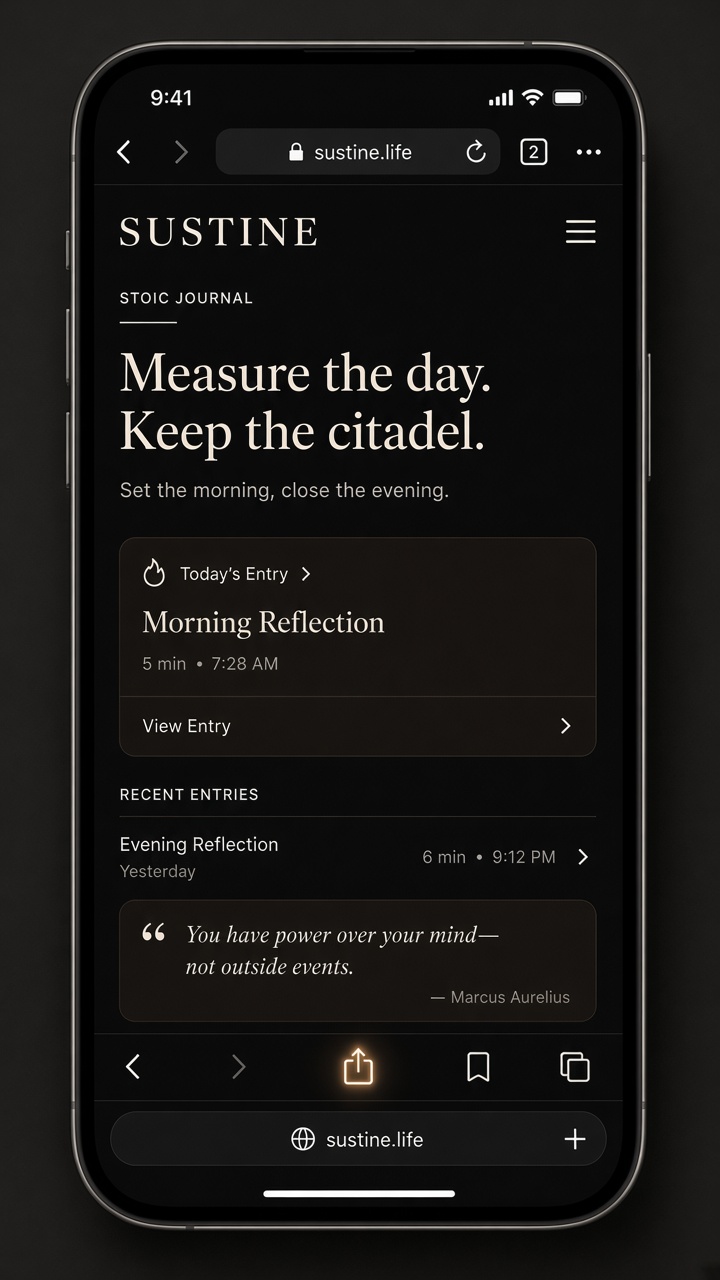
- 02
Tap Share, then Add to Home Screen
Share is the square with the arrow, in the middle of the Safari bar. Scroll the list if you do not see Add to Home Screen at first.
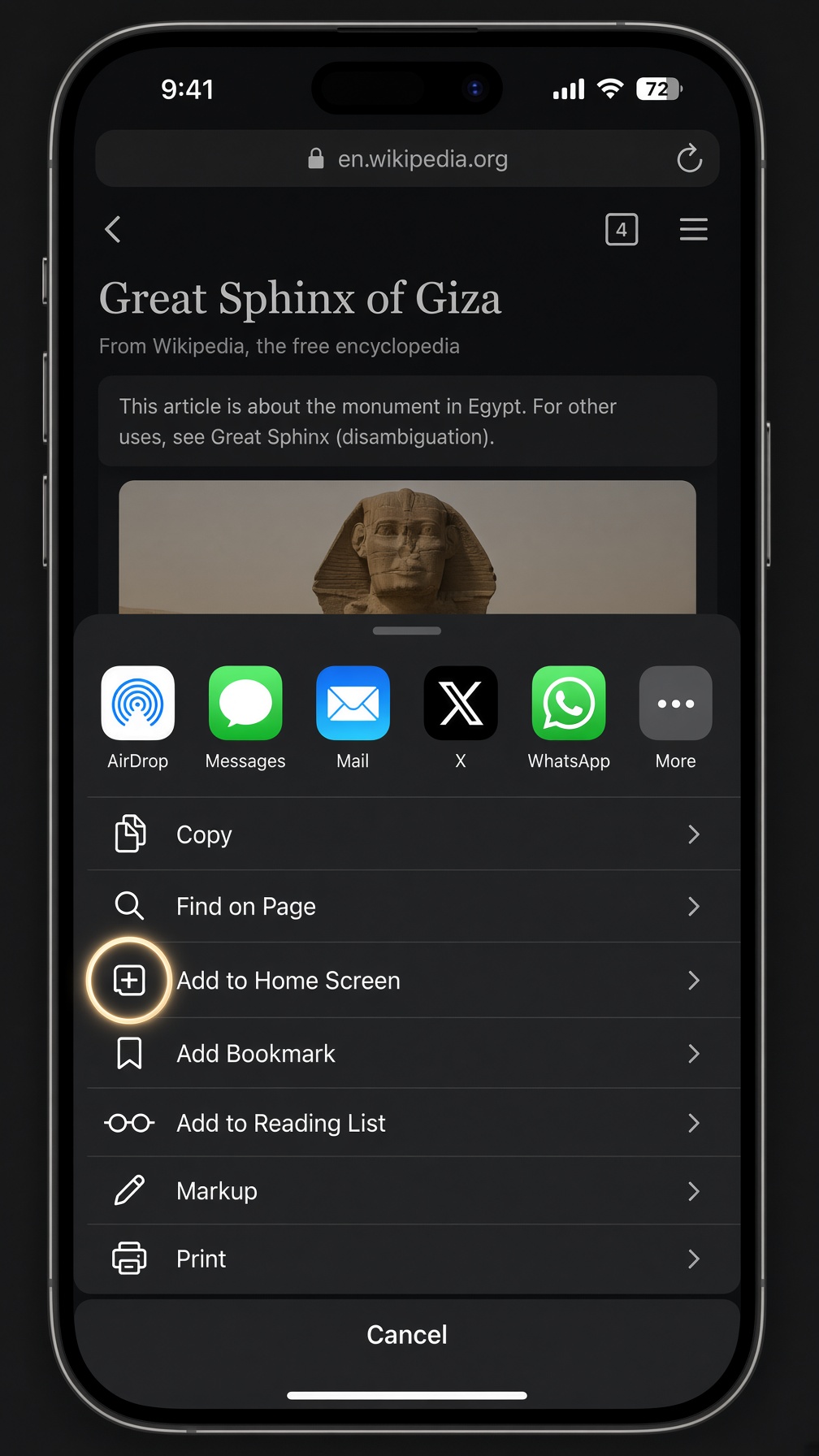
- 03
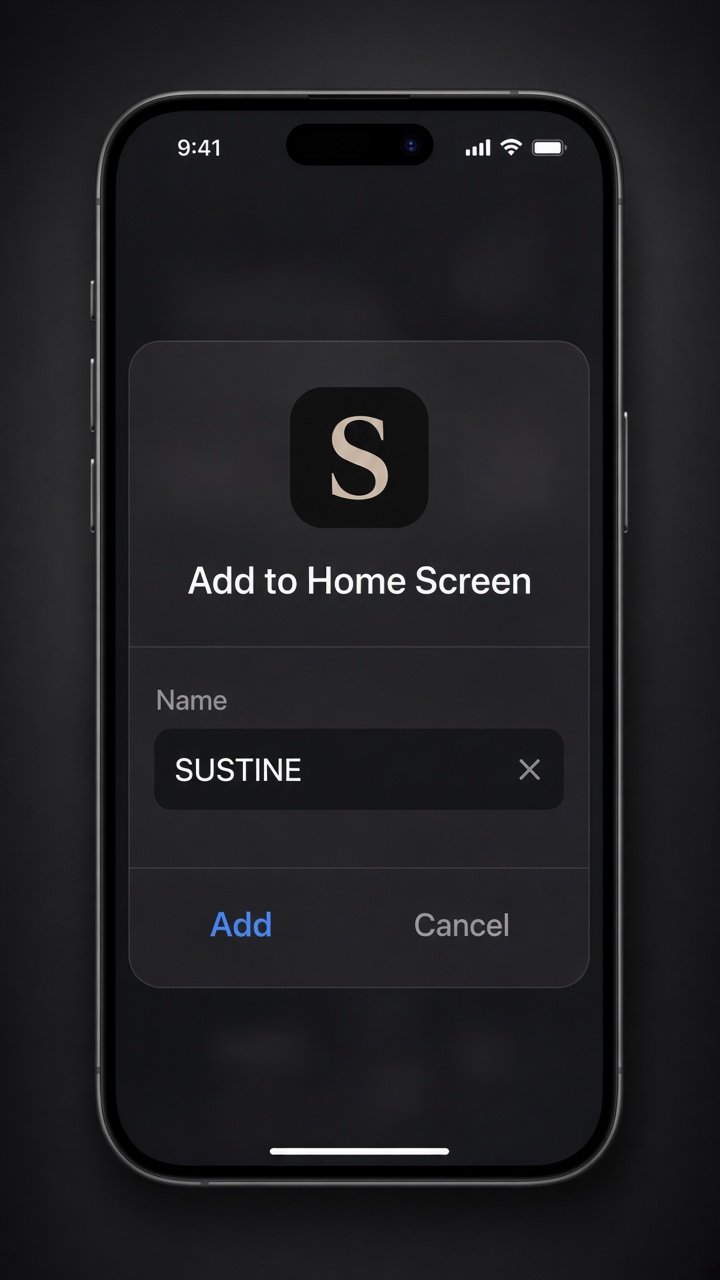
Tap Add
The name can stay SUSTINE. After you add it, open it from the home screen like any other app. There is no App Store listing.
Android · Chrome
Chrome on Android can install the site as a shortcut. Labels differ slightly by phone; follow what your menu shows.
- 01
Open Sustine in Chrome
Use Chrome on your phone, not an in-app browser from another app. If you opened a link inside Instagram, mail, or similar, copy the address and paste it into Chrome first.
- 02
Open the menu, then Install app or Add to Home screen
Tap the three dots in the top-right. On many Android phones Chrome shows Install app. If you do not see that, look for Add to Home screen or Install — the wording varies by Chrome version and device.
- 03
Confirm
Accept the prompt. Sustine will sit on your home screen or app drawer like any other shortcut. There is no Play Store listing; this is still the same website, opened from an icon.
Other browsers
Desktop Chrome or Edge. When the address bar shows an install icon (monitor with a down arrow) or the menu offers Install Sustine / Install app, you can add a desktop shortcut. It opens in its own window; it is not a store download.
Firefox, Samsung Internet, Safari on Mac. Look in the browser menu for Add to Home screen, Install, or Pin — wording is not consistent. If nothing like that appears, bookmark the site; daily practice still works in a normal tab.
In-app browsers. Social apps, mail clients, and chat embeds often hide install options. Open sustine in your system browser first, then use the steps above.